Showing posts with label electronics. Show all posts

Saturday, August 10, 2019

Save $25 when you buy Fire TV Stick and Echo Dot Together!

Deal alert! Save $25 when you buy Fire TV Stick and Echo Dot together!

Fire TV Stick Price: $39.99
Echo Dot 3rd Gen Price: $49.99

**Bundle Price: $64.98**

You Save: $25.00 less than buying separately!

BUY NOW!


Saturday, March 11, 2017

Google Chromecast Audio Review

The reviewer has been compensated in the form of a Best Buy Gift Card and/or received the product/service at a reduced price or for free.


One of my favorite things about the evolution of technology is digital music and how easy it has become to play our favorite songs crystal clear and wherever we go. I'm not sure how I survived before the days of wireless Bluetooth speakers but I know I never want to go back. I have amassed a small collection of them over the past few years which means not only do we have one on every level of our home (3) but also in multiple rooms per level. Now one complaint I've had over wireless speakers is their inability to link together so that I can have the same music streaming on more than one speaker at the same time.


Enter the new Google Chromecast Audio. This cute little gadget brings a new level to streaming your digital music. Not only can you use it with current wireless speakers, but also with older speakers that have an audio jack in them. And because the Google Chromecast Audio uses Wi-Fi instead of Bluetooth, you can stream in hi-res sound.

Features:
  • Wirelessly stream millions of songs, radio stations and podcasts from your favorite apps like Pandora, iHeartRadio, NPR, Spotify and Google Play Music.
  • Lets you play music throughout your home. Group Chromecast audio devices together so you can listen to the same song on multiple speakers.
  • Built-in 2.4GHz/5.0GHz 802.11ac Wi-Fi connects to the Internet through your wireless home network (wireless router required and sold separately)
  • Just plug Chromecast Audio into your speakers via the auxiliary input, connect to Wi-Fi and tap the Cast button from your favorite apps.

Kitchen Speaker


Now as I mentioned I have quite a few speakers in my home so I thought I would test the two Google Chromecast Audio devices I received on my most heavily used speakers. The one that gets the most usage by far is the one located in our kitchen. The other is on the third level and uses in the master bedroom and bathroom. Before dealing with the hardware you first need to download the Google Home app which is what you use to set up and control the Chromecast Audio devices. They need to be plugged into an outlet as well as plugged into your speaker in order to set up and play music. Once you have individual speakers set up in the app, then you can form a group with as many speakers as you like, so long as each speaker has a Chromecast Audio attached to it. So I went ahead and created my "house" group with my two speakers. Overall it maybe took me 5-10 minutes to set up everything and be ready to listen to music throughout my house.

Spotify is my favorite music app and luckily is compatible with Chromecast Audio, so I was able to launch it from the Google Home app, select playlist and then stream the music to my group of two speakers. It was awesome! The feature is hands down the best part of this device and is a game changer for me. The music was clear and though each device was on a different level of my house, there were no breaks or issues with the sound.


There are a few cons that I have in regards to the Google Chromecast Audio that I am hioing newer models will address down the road.  The first is that right now they aren't compatible with your iTunes music. This is a bit of a drawback as I am sure many iOS users out there have a ton of music purchased and saved on their phones. I do believe that this feature is coming soon though, so that will be great. In the meantime you can use it with other popular apps like Spotify, Pandora and iHeartRadio.

The second con for me is that the Google Chromecast Audio does not have a battery so it has to be plugged in to a wall outlet in order to stream music. Now part of the reason why I have rechargeable wireless speakers is so I can use them anywhere in my house without needing to plug them in. When using them with the Chromecast Audio I have to make sure they are placed near an outle which is not always in a convenient place for a speaker, particularly in our faimly room. I sincerely hope that future models of the device include a rechargeable battery so it can be used anywhere.

Overall, I do really like the new Google Chromecast Audio especially the ability to have multi-room play. That is really a huge deal for me and I love it. Since I have yet to find something else that does this for me, that alone makes it worthwhile if you don't mind spending the money to get one for each speaker. A few tweaks in the future could really make this product perfect.

The Google Chromecast Audio is available now at Best Buy for $35.00.

Google Chromecast Audio - Black $35.00


Friday, December 23, 2016

Make it a Minecraft Holiday with Best Buy

The reviewer has been compensated in the form of a Best Buy Gift Card and/or received the product/service at a reduced price or for free. This post contains affiliate links and the reviewer will receive a commission if you click on a link and make a purchase.

I have to admit, when my boys first got into Minecraft a few years ago, I just didn't get it. OK, fine, I still don't really get the appeal if I am honest, but all four of them love it as so I make the best of it. Minecraft is a game about placing blocks (or removing them) to build awesome world. Players can play in Creative Mode with unlimited resources to build whatever they want or play in Survivor mode where they have to fend off enemies. I think what my boys love the most is that they can play on their own or together, all though playing together some time causes arguments. And by arguments I mean they go into each others worlds and destroy things. Sigh. Now I still might not quite "get it", but I do love that it is a family friendly game that they all enjoy.


One of the most popular items I have seen this holiday shopping season is the Xbox One S Minecraft bundle. I first saw these pop up on Black Friday ads back in November and immediately new I had to get one for our family. (I bought mine fromBest Buy on Thanksgiving). What's so great about this bundle is not only that it comes with all the Minecraft games preloaded, but also that the new Xbox One S plays 4K Blu-ray™ movies. That feature alone sold me. This bundle is available right now at Best Buy for just $249.99. which is a $50 savings off the regular price.


Now if the Minecraft lover in your life already has all the games, there are plenty of Minecraft toys and collectibles that he or she would love. There are mini figures and playsets, card games and even drones, so there is something for everyone in every price range. Take a look at all of the Minecraft Gifts available at Best Buy.

What Minecraft gifts are you grabbing this holiday season?


Friday, August 14, 2015

Gift Giving Made Easy at Best Buy #WishList #GiftIdeas

The reviewer has been compensated in the form of a Best Buy Gift Card and/or received the product/service at a reduced price or for free. This post contains affiliate links and the reviewer will receive a commission if you click on a link and make a purchase.

No matter what time of year it is, there is always something to be celebrated and someone to buy a gift for. Birthdays, graduations, weddings... it is a repeating cycle. While gift cards are always a safe go to for any of these occasions, sometimes you just want to put in a little more effort and get a gift the person truly wants. Best Buy has two ways to make shopping for that perfect gift much easier.


Gift Center
The perfect place to start your gift hunt is at the BestBuy.com Gift Center. Here you can browse for gifts based on price, age, occasion and more. This helps you quickly zero-in on the right gifts for the right people. Have a friend's birthday coming up who loves to have the latest tech? No problem, just click on the Top Tech Gifts tab to see what's popular right now. Or if you are a procrastinator like me who waits until the day before to get a gift put together, you can easily send an e-gift card from the Gift Center.

Wish List
As helpful as the Gift Center can be, sometimes you still are at a loss for what to give. The Wish List feature at BestBuy.com takes all of the guesswork out of gift giving and makes it easier for both the giver and receiver. Tell your friends and family to create and share a birthday wish list, so that you can get them the gifts that they really want this time around. It is simple and takes only a few minutes to set up and can be used for all occasions. With the holidays just around the corner (how did that happen?), getting started on wish lists now will have you ahead of the game and that much closer to finishing up the dreaded holiday shopping.

What upcoming occasions do you need to shop for? Would prefer to choose something yourself from the gift idea center or go right to what the person wants on their wish list?

Tuesday, June 16, 2015

LG G4 Smartphone at Best Buy #LGG4

The reviewer has been compensated in the form of a Best Buy Gift Card and/or received the product/service at a reduced price or for free. This post contains affiliate links and the reviewer will receive a commission if you click on a link and make a purchase.


Do you remember what your world was like before smartphones? I am so used to having mine with me at all times that it is hard for me to fathom what I ever did without it. And smartphone technology is continuously growing and getting better. I love going into Best Buy and playing with them all. I recently went into my local store to check out the new LG G4 Smartphone.

Monday, June 8, 2015

Samsung SUHD TV at Best Buy #SUHDatBestBuy

The reviewer has been compensated in the form of a Best Buy Gift Card and/or received the product/service at a reduced price or for free. This post contains affiliate links and the reviewer will receive a commission if you click on a link and make a purchase.


Friday, May 29, 2015

4K Ultra HD In-Store Events Happening Now at Best Buy #UHDatBestBuy

The reviewer has been compensated in the form of a Best Buy Gift Card and/or received the product/service at a reduced price or for free. This post contains affiliate links and the reviewer will receive a commission if you click on a link and make a purchase.

Television technology is every evolving and it seems like once you finally upgrade your old set, something even better comes along. It is kind of a double edged sword isn't it? I love seeing the new advances but I hate that I can't keep up! But the tech-loving geek in me wants to see and absorb it all so I am always eager to learn what is the best of the best. Right now the latest and greatest technology is 4K Ultra HD and Best Buy is giving you a chance to see it first hand and maybe even win one!

http://bit.ly/1J8I2DY

Sunday, January 4, 2015

Jabra Sport Pulse Wireless Earbuds at Best Buy #JabraHeadphonesBBY

The reviewer has been compensated in the form of a Best Buy Gift Card and/or received the product/service at a reduced price or for free. This post also contains affiliate links.

The New Year is here which means a lot of us have made resolutions to get in better shape. It may mean joining a local gym, running through your neighborhood or working out at home. Regardless where you decided to work out, something we all seem to need to get us pumped is some good music to listen to.  Smartphones and MP3 players have made it easy for us to carry our music with us everywhere, but what about those dreadful earbuds?

Has this ever happened to you? You're on the elliptical (or any other piece of cardio equipment) and your pumping away, working up a sweat. But as you are jamming and exercising to your favorite tunes, that wire that goes from your earbuds to your phone is flopping all over the place in front of you. Then oops, your arms hits it and your earbuds come flying out of your ears? Just having that wire flailing about is super annoying. I've tried threading it through my top, but that doesn't usually work out too well either. Now with the Jabra Sport Pulse Wireless Earbud Headphones available at Best Buy, you can say goodbye to that wire.


Jabra Sport Pulse Wireless is an all-in-one training solution that combines an in-ear biometric heart rate monitor, immersive Dolby® Digital sound and real-time voice coaching. It’s US Military grade durability certifications will inspire runners, cyclists, and exercisers of all types to beat their best performance.

With a built-in intelligent app - Jabra Sport Life - exercisers will also get the most out of their Sport Pulse Wireless earbuds, helping them plan, track and evaluate each workout. It has never been so easy to test fitness levels and aerobic capacity, adjust heart rate zone levels to optimize training, and set goals based on distance, time or calories burned

Compatible with smartphones with BT capabilities.


The Jabra Sport Pulse Wireless is so much more than just headphones. I have to say that I love the idea of the real-time voice coaching that gives feedback on your workout in real time. That would be a great way to get some extra motivation. I would love to have a set of these and I am totally putting them on my birthday wishlist for the Spring!

Shop
At time of posting, the Jabra Sport Pulse Wireless Earbud Headphones are $20 off at BestBuy.com. Price subject to change at anytime.

Friday, November 7, 2014

Best Buy Holiday Shopping Event #BBYShoppingEvent

The reviewer has been compensated in the form of a Best Buy Gift Card and/or received the product/service at a reduced price or for free.

http://click.linksynergy.com/fs-bin/click?id=5JaMd3bbybg&subid=&offerid=355974.1&type=10&tmpid=13127&RD_PARM1=http%253A%252F%252Fwww.bestbuy.com%252Fsite%252Fglobal-promotions%252Fholiday-shopping-event%252Fpcmcat344700050000.c%253Fid%253Dpcmcat344700050000

We are already a week into November and do you know what that means? It means the holiday shopping season is in full swing. With my boys getting older and wanting mostly more expensive gifts, I am always looking for good sales this time of year. This Saturday, November 8, 2014 from 1:00pm-4:00pm, Best Buy is having a one day in-store sale and shopping event. I'm excited for it and the chance to preview and shop the Holiday Collection from some of the biggest brands including Apple, Microsoft, Samsung and Sony.

Sunday, June 1, 2014

Get the Latest & Greatest Gifts for Dad at Best Buy #GreatestDad

I have been compensated for my time in the form of a Best Buy Gift Card. All thoughts and opinions are my own.

I do not hide the fact that I am a tech junkie. I love having the newest gadget and techie toys and slowly but surely that's rubbing off on my husband as well. Whether the dad in your life is a Gizmo Guro like we are or a Fitness Fanatic, Best Buy has all the latest and greatest gifts to make him happy this Father's Day.

http://bit.ly/Gift_Center

Now my husband loves his flat screen T.V. I swear sometimes he treats it like our fifth child. So I know that the perfect gift for him is the new Amazon Fire TV.  We don't have cable, just the basic network channels, so are use Netflix constantly. On his precious baby, we access Netflix through our Blu-Ray player and let me tell you it's quite cumbersome to use. The absolute worst part is searching for a movie or show using the remote and selecting one letter at a time. Often I find myself using the iPad app to search and add items to my list ahead of time. And my husband just flat out refuses to use the search - he'll wait for me to do it. That is why we love the idea of having a voice activated search like the Amazon Fore TV provides.


Amazon Fire TV Features
  • Use with Amazon Prime, Netflix, Hulu Plus and Pandora
  • Voice search
  • 1080p high-definition video
  • Dolby Digital Plus audio up to 7.1
  • Amazon FreeTime
  • Mirror your Kindle HDX tablet
And at $99.99, this also makes for an affordable Father's Day gift the not only my husband will enjoy, but my entire family will enjoy. I love that Amazon FreeTime will allow me to set a time limit for  my children, which will really come in handy once school is out for the summer.

Need more ideas? Well not to worry, her are some of other gifts to choose from for your Gizmo Guru Dad!
  • Lenovo Yoga 2 2-in-1 Touch-Screen Laptop
  • SoundTrue Headphons
  • Bose SoundTouch 20 Wi-Fi Music System
  • Nest Thermostat
  • Samsung Galaxy Note 3
  • GoPro HERO3+ Black Edition Action Camcorder.
  • mophie space pack
  • iPad Air with wifi + 4G LTE
  • 1817061 - iPad Air Ultrathin Keyboard Folio Carbon
  • Xbox One Console
  • Xbox One Wireless Controller
  • Nikon D5300 DSLR Camera with 18-55mm VR Lens.
  • Logitech Harmony Wireless Smart Keyboard
  • PlayStation 4 console
  • PS4 Wireless Controller
  • Bose SoundLink Mobile III Speaker & Cover
  • Bose QuietComfort 20i Acoustic Noise Cancelling Earbud Headphones
  • Bose SoundLink Mini Bluetooth Speaker & Travel Bag
  • Samsung Protective Wallet Case for Samsung Galaxy S 5
  • mophie juicepack powerstation XL
  • Microsoft Surface Type Cover 2
  • HP Officejet 6600 Wireless e-All-In-One Printer
  • SanDisk Ultra Dual 32GB USB 2.0/Micro USB Flash Drive
  • Samsonite Premium Thin & Light Laptop Case
  • Targus Metro Rolling Laptop Case
  • Philips Hue Starter Kit
  • Breaking Bad Complete Series Blu-ray
  • $50 iTunes Card
  • LG 60" Class LED 1080p 240Hz Smart 3D HDTV
Be sure to check out the Best Buy Gift Center for more ideas for every type of dad!

Are you shopping for a Gizmo Guru, Fitness Fanatic, Memory Maker or Entertainer this Father's Day?

Monday, December 9, 2013

Soundfreaq Sound Spot Bluetooth Speaker Review #SoundSpot #MC

I participated in a campaign on behalf of Mom Central Consulting for Soundfreaq. I received a Soundfreaq Sound Spot to facilitate my review.

We love music in our house. Whether it's listening to top 40 songs or Christmas music, my boys and i love to jam out and sing along.  Since my classic iPod dies earlier this year, all of music is now stored on my iPhone plus I like to use several different streaming music apps on my iPad. Now let's face it, I love my Apple devices, but the sound quality on the built in speakers is just meh. So having any easy, clear way to listen to the music is a must. Last year I had the chance to review the SoundFreaq Sound Kick Bluetooth Speaker and I fell in love.  Now this year, I was given the brand new Soundfreaq Sound Spot to try out and I like it even better!


Sound Spot ($69) is Soundfreaq’s brand-new, award-winning wireless home speaker, which has already received a “Mashable Choice” Award.

It has a small footprint so it fits anywhere in your home, making it easy to take with you from room to room so you always have music playing in your life. It now comes in 11 fun color combinations in addition to the all black and wood & white versions.

Sound Spot was conceived to be portable yet look great in your home, amongst furniture, artwork and accessories. With mid-century design inspiration, Sound Spot's clean, modern look complements your home décor while filling any room in your house with your favorite music.

Sound Spot streams audio via Bluetooth, the wireless standard for smart devices, so Sound Spot is compatible with all of your and your family member’s wireless devices.

Sound Spot is ready to bring anywhere around the home with its small size and built-in rechargeable Lithium-ion battery, which allows for up to seven hours of AC-free listening.

Sound Spot includes a USB power port so you can charge your phone, even while Sound Spot is running on battery power. Sound Spot is simple to charge just plug it directly into your computer or any powered USB port for quick and easy charging.

With two Sound Spots, you have the ability to daisy chain two units together via line-out for an even louder acoustic experience.

I received the two Sound Spot units show above: one in white/wood and one in all black. The first thing I loved about this speaker was the size. While the Sound Kick is great, it is also larger which it makes it a pain to move from room to room. The Sound Spot is the perfect size to room hop along with you and fit into tight spaces. So now my Sound Kick has a permanent residence in my kitchen while I can use my two Sound Spot speakers everywhere else. Since listening to music is a must in the shower for me, my black Sound Spot spends a lot of time in there or in my bedroom. The shelf in my bathroom is tiny, but that is not a problem for this speaker.

Sound Spot on my bathroom shelf, playing some Lady Gaga.
The white/wood Sound Spot has been spending a lot of time in the boys' bathroom these past few weeks. We just renovated this bathroom over the summer and the design fits in nicely. And at night when I am the foreman to the showers/teeth brushing/getting ready for bed assembly line, now it is accompanied by  music. The boys like having music playing to sing with, especially since we've been playing Christmas songs. And well, the music just help keeps me sane.

Sound Spot in kids' bathroom.

 While both Sound Spots have spend a lot of time in our bathrooms, their simple design allows them to fit in with the decor of any room in my house. So when I want to bring them down into the living room or home office, either one would blend in just fine.

Sound Spot in the living room.

Something to point out is that while I have my iPhone right next the Sound Spot for the purposes of this photo, it does not need to be that close. I have no problem adjusting volume or skipping songs while in another room of the house. This will be particularly useful during my son's 4th birthday party next week, where I can stay in the kitchen feeding people and be able to control the speaker in the living room. The music played through the Sound Spot is crystal clear and provides a wide volume range when using both the volume on the device and on the speaker itself. I could not have asked for a better speaker!

My only semi-complaint is that I wish I could connect both of my Sound Spot speakers to my iPhone at the same time so I can have the same music playing in different rooms of the house. I would just love to have Christmas music playing upstairs in my bedroom while simultaneously playing in the living room.  Though honestly I'm not sure if that is something that can even be done with current Bluetooth technology, but I sure would love it!

Sound Spot is available in several colors.

The Sound Spot is available in a variety of both neutral and fun colors that are sure to fit your style and decor. Retailing for just $69, the Sound Spot makes a great holiday gift for the music or tech lover in your life.

Wednesday, February 27, 2013

Recycle Your Old Electronics at Best Buy

In a world where technology is constantly changing and improving, we leave behind a trail of unwanted electronics in our efforts to upgrade to the latest and greatest. Technology is the fastest growing waste stream on the planet. Well there is a better option other than tossing the old items in the trash. Sure, if the said electronic is in working condition, you can sell it or donate or give it to a friend, but what if it doesn't work perfectly? Or what if it is a decade old? That is where the Best Buy Recycling Program helps us out.


Best Buy's industry-leading recycling program is available for FREE at all of its locations throughout the United States and Puerto Rico. They will recycle most electronics including TVs, DVD players, cell phones and more. It does not matter how old your electronic item is, where you bought it or what shape it is in - Best Buy will gladly take it off your hands and safely dispose of it. For each minute that the Best Buy stores are open, they recycle 387 pounds of electronics. That is a lot of metal, plastic, wires and other components that they are keeping out of landfills.

Visit the Best Buy Recycling Program website to find out exactly can be recycled at your store and watch this brief video to find out what happens once your electronics get to the recycler.


When you are finally ready to upgrade from your old electronics and are dropping them off to be recycled at Best Buy, remember that they carry a large line of Energy Star certified products. Not only are Energy Star items better for the environment, they will shave a few bucks off your electric bill as well.

The reviewer has been compensated in the form of a Best Buy Gift Card and/or received the product/service at a reduced price or for free. All thoughts and opinions are my own.

Wednesday, February 6, 2013

VTech Retro Phone Giveaway

This Valentine's Day, keep in touch with your loved ones in style! The red VTech LS6195 Retro Phone adds a splash of color to your home and will keep you passionately connected to those you love. 


The VTech Retro Phone uses 6.0 digital technology, which provides the best sound quality, security and range in cordless phones. If you are anything like me, range is super important when you want to bring your phone outside while watching the kids play. I love the contemporary retro design which shows off a rotary inspired keypad. The Digital Answering System is accessible from both the handset and base with 14 minutes of record time.

Additional key features:
• Dial-in base speakerphone
• Handset speakerphone
• Backlit keypad and display
• 50-Name and number phonebook directory
• Eco Mode power technology
• Expandable to 5 handsets (uses CS6509)


And the feature that is probably the biggest for me is the Silent Mode ringer control which allows you to silence the ringer. This is a feature that is not on our current phone system and I miss it desperately, especially when my three year old is napping.

Buy
The VTech LS6195 Retro Phone is available to purchase at www.vtechphones.com and at Target, with an MSRP of $59.95. Available colors: black, white, red, blue and orange.


Giveaway
One (1) winner will receive a red VTech LS6195 Retro Phone. This giveaway is open to US residents only and will close on February 21, 2013 at 12:00 AM EST. Please use the Rafflecopter form below. Good luck!


a Rafflecopter giveaway

Sunday, December 2, 2012

Soundfreaq Sound Kick Bluetooth Speaker Review

I love listening to music throughout the day. Especially if I am cleaning or fixing a meal for the kiddos. A lot of the time, I listen to Pandora Radio on my iPhone 4. However, I never got a speaker for it so I can only listen to it through the phone's speakers, which really isn't loud enough while I am moving about the house. The Soundfreaq Sound Kick Speaker was the perfect solution for me since it is both wireless and Bluetooth enabled.

The biggest problem I have with speakers out there is compatibility with new devices. I have an old speaker that I bought for my classic iPod way back when. It still works great for it, but it is not compatible with my iPhone 4. Fear of incompatibility is what has made me hold off on getting a newer speaker because I am hoping to upgrade to an iPhone 5 for Christmas. The last thing I want is to invest in something only to find out in a few months it won't work with my new phone. The Soundfreaq Sound Kick is a Bluetooth speaker which makes it compatible with most Bluetooth devices, including:
iPad, iPad Mini, iPhone, iPod touch, Android, Blackberry devices and Windows and Mac PCs.


Another important feature that I love is that it also has a plugin option so it can work with some non Bluetooth devices as well, like my ancient iPod. Since all of my music is on my iPod, this is great for me. Now I can bring the speaker with me in any room in the house without worrying about plugging it in and I can either listen to my tunes on my iPod or Pandora on my iPhone. And since it has a range of 30 feet, I don't need to have the device nearby, though I generally move them around together. Since this past week I started decorating the house for Christmas, this has been great for listening to holiday music. The kids and I love Christmas songs and I love that I was able to listen to them while I decorated each room of the house.

Setting up my Soundfreaq Sound Kick with my iPhone 4 was extremely easy and took about a minute. Once you fully charge your speaker, the light on the back turns green to indicate when it is done charging, turn it on and press the "pair" button. Once you do that, then navigate into Settings>General>Bluetooth to turn on your iPhone's Bluetooth and then you will see the Sound Kick pop up under devices to connect to. Your phone will store this so you don't have to do it again unless you are Pairing a new device. I do turn off my Bluetooth on the phone when playing games since the last thing I want to hear is Angry Birds Star Wars blasting through my kitchen.


I could not be more thrilled with my Soundfreaq Sound Kick speaker. It has been perfect for me in that I can use all of my devices with it and I know that it will be compatible with any new ones I may upgrade to over time. The sound quality is great and so much clearer than if I listen through the phone's speakers. And I love that I can easily play music in any room of my house without having to plugin to an outlet.

Additional Product Features:
  • 7 hours on battery power (rechargeable) or can be plugged in.
  • Plays any audio from your mobile device including music, movies, TV shows, videos, games, Internet radio and apps.
  • Compatible with any Bluetooth device and will be compatible with future devices that have Bluetooth too so you don't have to worry when you upgrade.
  • Sound Kick won Overall Best of Show from iLounge at CES 2012 and Gizmodo's award for Best $100 Bluetooth Speaker.
  • Three colorful brand new Chromatics editions available as well as a brand new all-white Ghost edition. 
Buy

I wrote this review while participating in a blog tour by Mom Central Consulting on behalf of Soundfreaq and received a product sample to facilitate my review. All thoughts an opinions are my own.

Monday, February 23, 2009

Going Green: Turn Off the Lights…

…and Unplug Your Appliances and Electronics!

I can still hear my mom telling nagging me to turn off the lights in the room I had just left. It is a concept I never truly appreciated until I became a homeowner myself and started receiving my own electric bill. Wow, electricity is expensive! So my going green tips for today not only conserve energy, but money too! On average, lighting makes up 11% of our energy bills. So wouldn’t it be nice to cut that down all while helping the planet?

For starters, make the most out of natural lighting. Open blinds and curtains and sit near a window to read. We try to leave the lights off as much as possible during the day, except on gloomy overcast days when it is needed a little more. Sometimes the boys will insist on turning on the dining room lights for lunchtime, but William knows to turn them off as soon as we are done in there. On dark days or at night, only turn on lights that you are using. And don’t overdue it. Do you really need 3 lights on in the living room? Would just one be enough? When you leave a room, even if you may be back in 10 minutes, turn the lights off.
You can also make the switch to compact fluorescent light bulbs (CFLs). They cost a little more, but they use 75% less energy then standard incandescent blubs and last longer. We made the decision to NOT switch light bulbs right now since CFLs are made with mercury, but that is just our choice. If you decide to swap out your bulbs, The Daily Green has a good post about how to Stay Safe from Mercury in CFLs.

Now let’s move onto appliances and electronics. No I don’t mean your fridge, silly. I mean small appliances like toaster ovens and coffee makers and electronics likes televisions, radios and computers. These things are called “phantom loads” – which is an appliance or electronic that uses energy even when turned off. 40% of the electricity used to power home electronics is consumed while they are turned off and this will add about $200 to your annual energy bill. Yikes! So turning them off is simply not enough; they need to be unplugged.

We have found that the simplest way to do this for electronics is by using power strips. In our home office, we have a power strip under the computer. Into this strip we have plugged in the monitor, printer, speakers, modem and the PC. When not in use, the power strip is turned off so absolutely no energy is going to them. We have a similar setup in the family room for the TV, DVD player and speakers. When we are not watching TV or listening to music, the strip gets turned of. Although to be totally honest with you, I forget this one a lot. Mainly because I have to reach behind the TV to do it.

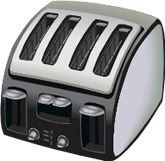
In the kitchen, it’s fairly easy to save by unplugging things like toasters, counter-top microwaves, coffee makers, etc. Does your toaster oven need to be plugged in when you’re not cooking something? Nope. Now I use my toaster oven a lot, mainly at breakfast and lunch. But I still unplug it between uses. So on any given morning I can be seen plugging and unplugging the darn thing a good half a dozen times. How about the coffee maker? This can be tricky as some people set their coffee makers to automatically brew in the morning. In that case, obviously you are going to keep it in. But if you don’t use your auto timer or just drink an occasional cup, unplug it. Neither my husband nor I drink coffee, so ours was just serving as clock and a dust collector on our kitchen counter. Until one day I realized I already had 3 other clocks in there and I really needed the counter space. So not only did I unplug it, I put it away.

So take a look around your house and start making mental notes of where you can make changes. Is every light in your home on? Start making an effort to change this habit, even if it means leaving notes next to lamps and switches. Then see where you can add power strips and determine which kitchen appliances you can unplug.


Related Posts Plugin for WordPress, Blogger...